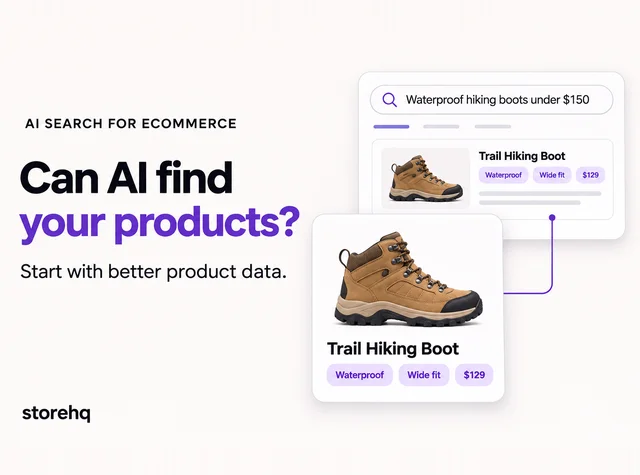
A product image can look perfect to a shopper and still tell search engines very little.
Upload it as IMG_4821.jpg, leave the alt text blank, and you have already removed some of the context search engines can use to understand it.
But Shopify image SEO is not about stuffing keywords into every photo. Some things matter more than others, and Shopify already handles parts of image optimization for you.
In this article, we’ll look at what is actually worth fixing, from alt text and file names to image performance and AI crawler access.
What Should Your Product Image Alt Text Actually Say?
Take a product page for a men’s blue running shoe. The first image shows the full shoe. Another shows the side. A third focuses on the outsole.
If every image uses alt text like running shoe, it gives very little useful detail.
The other extreme is no better:
best running shoes men’s running shoes blue running shoes buy running shoes
A clearer version for the main image would be:
Men’s blue mesh running shoe with white sole
For the side image:
Side view of men’s blue mesh running shoe
Good alt text describes what is actually visible. Product type, color, material, angle, or another useful detail can belong there when relevant.
Google says alt text is an important source of image metadata and uses it alongside page content and computer vision to understand an image. Shopify recommends keeping alt text brief and descriptive, with 125 characters or less as a useful guideline.
For important product images, write alt text that would still be useful if the image itself were unavailable.
This same principle applies across the page. AI-shopping-ready product pages work better when important product details are clear and easy to understand.
Does the Image File Name Really Matter?
It matters, but it should not become a project of its own.
mens-blue-running-shoe.jpg gives more context than IMG_4821.jpg.
Google describes file names as a very light clue about an image’s subject. A short, descriptive name is useful, but there is no reason to turn it into a keyword string.
For Shopify stores, this is easiest to handle before upload. Shopify says existing image file names cannot be changed in the platform. To use a better name, you need to rename the original file and replace the uploaded image.
So build clear file naming into new product uploads instead of treating every old image as an urgent cleanup job.
Shopify Already Optimizes Images. So What Do You Still Need to Do?
You probably do not need to manually compress every Shopify image before uploading it.
Shopify can optimize images when they’re delivered through your theme, including compression and modern formats such as WebP or AVIF when supported.
That does not mean performance can be ignored.
Start with sensible source images. Avoid unnecessarily large decorative assets. Use a responsive theme, and check how important product and collection pages perform on mobile.
Shopify can help with delivery, but it cannot decide whether an image has useful alt text, a sensible file name, or the right context on the page.
Product image optimization is not only about making files smaller. It is about making images useful, understandable, and fast enough for the page they sit on.
AI Crawlers Need More Than a Good-Looking Product Photo
Better alt text is not a shortcut to higher ChatGPT visibility.
The more useful question is whether AI systems can access the product page and the information around the image.
For merchants providing product feeds directly to OpenAI, current guidance says OAI-SearchBot should be able to crawl product image URLs. Shopify merchants already benefit from Shopify Catalog integration with ChatGPT, so this is not another setup task every store needs to complete.
Crawler access matters, but it is only one part of the picture.
Clear product descriptions, structured data, reviews, image context, and consistent product information give machines more to work with than a product photo alone.
If you want to look at the access side in more detail, our guide to AI crawlers, robots.txt, and llms.txt explains how those controls fit together.
The takeaway is simple: optimize images because they are part of the product page, not because alt text is a secret AI-ranking trick.
Which Images Should You Fix First?
If your store has hundreds or thousands of images, do not start by trying to fix all of them.
Start with:
- Best-selling product pages with missing or weak alt text
- High-traffic collection and product pages
- New product images before upload
- Oversized assets on pages that already load slowly
- Important images with generic file names when they are being replaced anyway
Then make the process part of future uploads.
That is usually more useful than trying to clean up years of media all at once.
Frequently Asked Questions About Shopify Image SEO
Does alt text help Shopify SEO?
Yes. Alt text gives search engines useful image context and also supports accessibility.
How long should Shopify image alt text be?
Shopify recommends keeping it brief and descriptive, with 125 characters or less as a useful guideline.
Should image file names include keywords?
Use short, descriptive file names when relevant. Avoid keyword stuffing because file names are only a light signal.
Does Shopify automatically compress images?
Shopify can compress images during delivery and serve modern formats such as WebP or AVIF when supported.
Does alt text help products appear in AI search?
There is no documented guarantee that alt text directly improves AI rankings. Treat it as one part of a clear, accessible product page.
Make Your Product Images Easier to Understand
Good product photography already does a lot for shoppers. Image SEO helps search engines and crawlers understand those visuals too.
Start with the images that matter most, build better alt text and file naming into future uploads, and let Shopify handle the parts it already manages.
Get a free growth audit from StoreHQ to find the SEO, performance, product-page, and AI discoverability gaps that may be holding your Shopify store back.

 8 min read