AI bots are reading your product pages right now. Most Shopify owners never notice because these visits rarely show up as sessions in analytics.
Controlling them is where people get confused. One guide says to block everything. Another says llms.txt handles it. Neither file works the way most store owners assume.
This guide explains how AI crawlers handle robots.txt rules, where llms.txt fits, and how to choose which bots to allow.
Why AI Crawlers Are Already Visiting Your Store
Shoppers ask ChatGPT, Perplexity, and Gemini things like “best running shoes for flat feet under $150.” The assistant replies with brands, prices, and links. If your store isn’t in that answer, you could miss a sale before the shopper opens Google.
That makes AI crawlers part of how shoppers discover products. When AI search tools can access your product pages, they have another way to find and reference your store.
Making your pages accessible is only part of the process. Clear product descriptions, structured data, and answers to common buyer questions also help AI systems understand what you’re selling.
Shopify’s default robots.txt keeps crawlers out of certain cart, checkout, and internal paths. Its rules can also affect AI crawlers, so check what your store currently allows before making changes.
Not Every AI Bot Wants the Same Thing From You
AI companies run separate bots for separate jobs:
- Training crawlers collect content to help build future models. Their purpose isn’t to send referral traffic.
- Search and retrieval bots discover pages so AI answers can reference or cite them, sometimes with a link.
- User-triggered bots fetch a page live when someone asks about it.
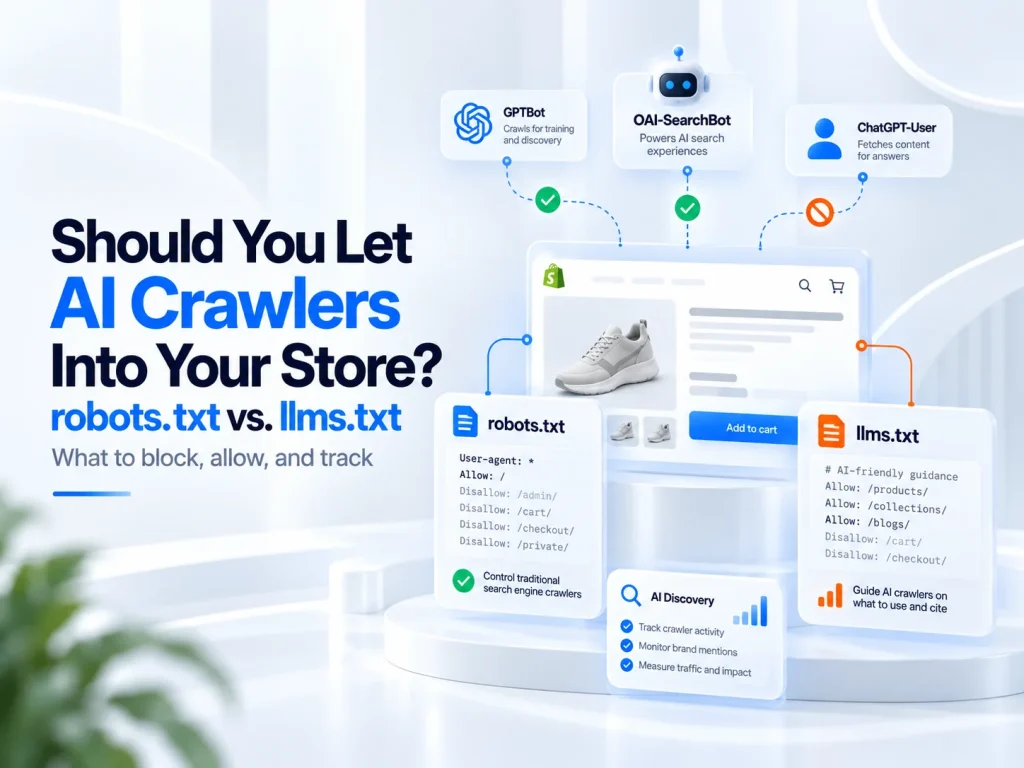
OpenAI’s official crawler documentation explains the split clearly. The GPTBot user agent gathers training data. OAI-SearchBot powers ChatGPT search, and ChatGPT-User fetches pages during user requests.
Blocking GPTBot opts your content out of OpenAI’s training crawls. Blocking OAI-SearchBot prevents your pages from appearing in ChatGPT search results, although they may still appear as navigational links.
What robots.txt Can and Can’t Control
robots.txt works through user-agent rules. You name a bot, then allow or disallow paths.
This rule keeps OpenAI’s training crawler off your entire site:
User-agent: GPTBot
Disallow: /
The catch is compliance. robots.txt makes a request. It doesn’t lock anything. OpenAI, Anthropic, and Google document crawler controls, but anonymous scrapers may ignore them.
You can block GPTBot without directly affecting your Google rankings. Googlebot runs separately, so that rule has no direct effect on organic search.
Google-Extended trips people up. Blocking it restricts certain Gemini-related uses of your content, including training and grounding. Google AI Overviews, however, use Google Search crawling and indexing controls. You can’t use a separate robots.txt rule to block only Google AI Overviews. Google provides other controls to limit how your content appears in Search.
Editing robots.txt.liquid in Shopify
Shopify generates a robots.txt file automatically. To customize it, go to Online Store, then Themes, and select Edit code. You can then create a robots.txt.liquid template in the Templates folder. Make sure to preserve Shopify’s default rules when making changes.
Small edits cause most of the damage:
- A Disallow: / under User-agent: * that blocks every bot, Googlebot included.
- A copied “block all AI” list that includes OAI-SearchBot or PerplexityBot.
- Deleting Shopify’s default Liquid loop and losing its cart and checkout rules.
If you’re unsure what your file allows, a broader ecommerce website audit can help identify crawlability, indexing, and other technical SEO issues.
Where llms.txt Fits and Why It Doesn’t Block Anything
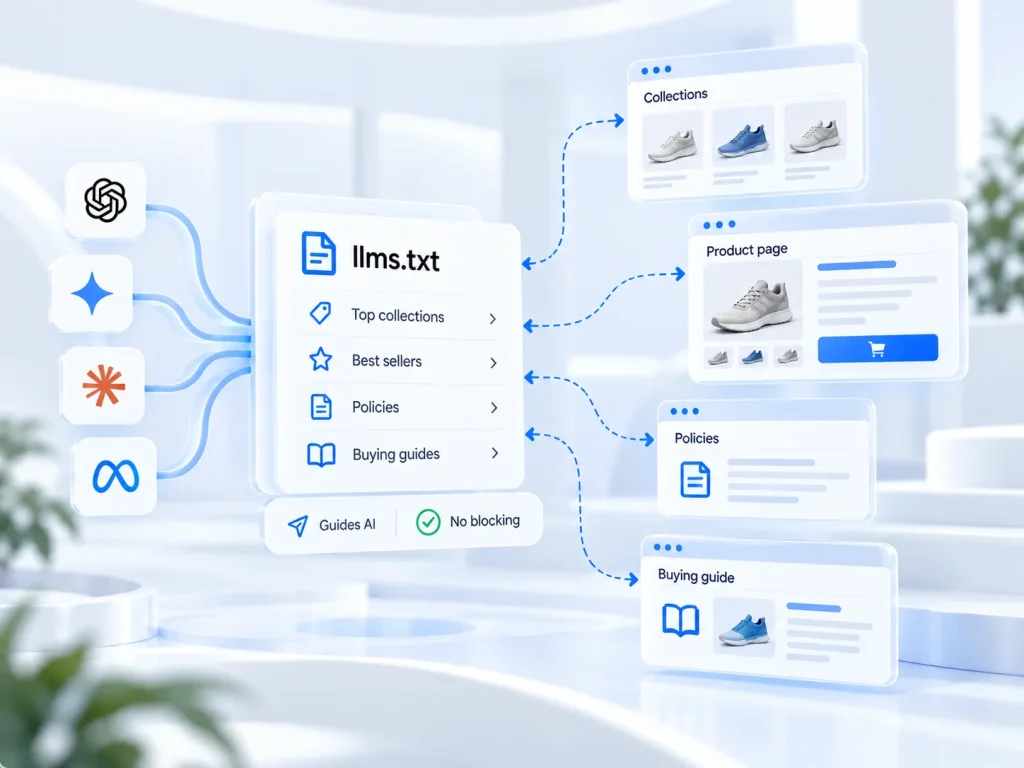
llms.txt is a Markdown-formatted file served at your domain root. It gives language models a curated map of your most useful pages. It controls no access at all.
Jeremy Howard proposed the format in 2024, and it’s still a proposal. Major AI platforms haven’t established llms.txt as a standard requirement for appearing in their answers. Treat it as useful preparation, not a guarantee of visibility.
Shopify now generates an llms.txt file automatically. Most stores can use the default version without making changes. If you need to customize it, you can add an llms.txt.liquid template through your theme’s code editor.
For a store, prioritize pages like your top collections, best-selling products, shipping and returns policies, and size or buying guides.
How to Decide What to Allow in Your Store
You don’t need to block every AI bot. The better approach is to choose which ones can access your store.
Allow search bots like OAI-SearchBot and PerplexityBot if you want your products to appear in AI search results. You can block GPTBot if you don’t want your content used for AI training.
Also, check your store’s security settings. Sometimes they block AI bots even when your robots.txt allows them.
To see whether AI search is bringing visitors, check GA4 for traffic from ChatGPT, Perplexity, and Gemini. To see which bots are visiting your store, check your server or CDN logs.
You can also learn how AI discoverability works across different platforms and what helps your products appear in relevant searches.
Frequently Asked Questions
Will blocking GPTBot hurt my Google rankings?
No. GPTBot and Googlebot run separately, so blocking GPTBot has no direct effect on Google Search.
Does llms.txt stop AI bots from crawling my store?
No. llms.txt provides guidance, while robots.txt and bot protection settings help manage crawler access.
What is the GPTBot user agent used for?
OpenAI uses GPTBot to collect training data. OAI-SearchBot handles search crawling, while ChatGPT-User handles user-triggered requests.
Can I add llms.txt to a Shopify store?
Yes. Shopify generates llms.txt automatically, and you can customize it through your theme’s code editor.
How do I know if AI tools send traffic to my store?
Look for AI platforms in your GA4 referral sources. Server or CDN logs can help identify crawler visits.
Make AI Crawler Access Work for Your Store
AI access shapes your visibility, and leaving your settings unchecked means you may not know which bots can reach your content. Pick each bot on purpose.
Your crawler settings can influence how AI tools discover your products. Making those choices deliberately gives your store a better starting point for AI visibility.
Not sure whether your Shopify store is ready for AI search? Get a free growth audit from StoreHQ to identify technical SEO gaps and opportunities to improve your store’s discoverability.

 6 min read